
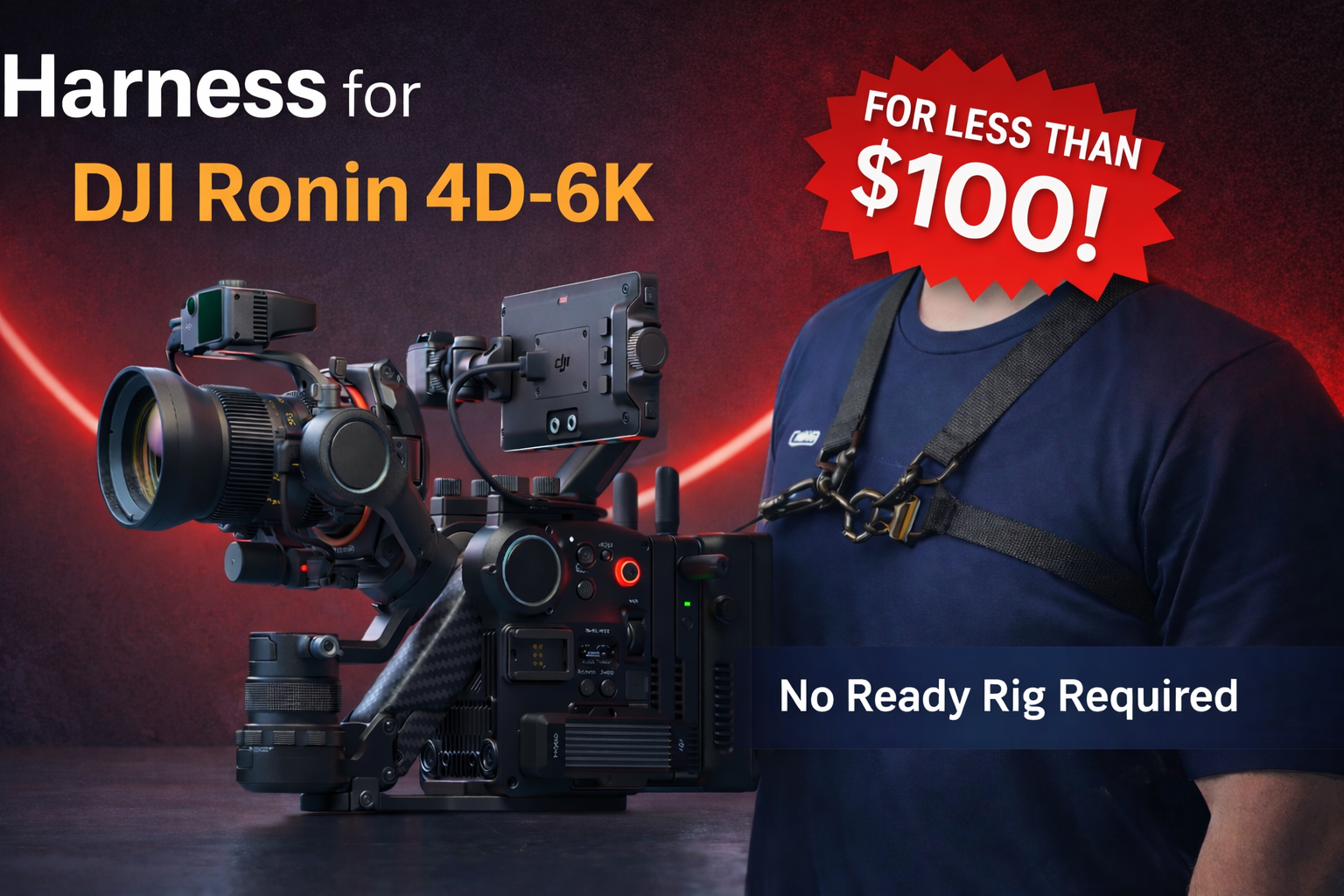
DIY Harness Setup for DJI Ronin 4D 6K Camera
- Mike Buffo
- 0 Comment
- 36 views
DIY Harness Setup Overview
The DJI Ronin 4D-6K is an incredible camera platform, but it’s heavy. After hours of filming, that weight takes a toll on your arms and back. I built a simple harness that transfers the weight to your shoulders so you can operate comfortably all day. This guide explains the parts I used and how to assemble the harness.
Use Cases in the Field
I use this harness primarily in situations where the camera needs to stay up and moving continuously. It’s especially effective for documentary work, where the action doesn’t stop and I’m following a subject or group in real time rather than setting up individual shots. This includes walking interviews—often called man-on-the-street style—where I’m tracking alongside someone as they move through a space and responding organically to what’s happening around us.
Another major use case is real estate video. When I’m walking through a property, this harness lets me move smoothly from room to room without stopping to rest or reset between shots. I can cover an entire house much faster than I would using a traditional gimbal-on-a-stick setup, keeping momentum and flow while maintaining control of the camera.
This setup shines any time the camera is off the tripod and the shoot demands continuity. It’s not intended for sit-down interviews—that’s a job for a tripod—but for situations where I’m following action, navigating spaces, or working with moving subjects, the harness keeps the camera supported and ready without breaking the rhythm of the shoot.
See examples of the DJI Ronin 4D-6K in the field here:
Inside Al Saroyan’s Pebble Beach Masterpiece & Lenox Hill Design
Westbook Modern’s Tour of Chris Ries sculptures with Tim Allen
-Directed/Shot by me, Mike Buffo

What You’ll Need
- Shoulder strap – the core of the harness that distributes the Ronin’s weight.
- Clip 1 – connects the two shoulder straps together at the front.
- Clip 2 – attaches the shoulder strap assembly to the Ronin 4D handle or ring.
- Screws – hardware for fastening the clips securely.
- SSD (optional) – expand recording capacity for long takes.
- SSD cradle, SSD cable with lock screw and High Hat (optional) – accessories for mounting the SSD and stabilizing low‑angle shots.
- Power solution (optional) – extra battery pack to extend run‑time for long shoots.
Step‑by‑Step Assembly
- Join the shoulder straps. Connect the two shoulder straps using Clip 1. This clip forms the chest connection and ensures the harness stays centered.
- Attach the harness to the Ronin. Use Clip 2 to fasten the strap assembly to the Ronin 4D’s ring or handle. This component transfers the camera’s weight to your torso.
- Adjust the fit. Put on the harness and tighten or loosen the straps until the camera hangs at a comfortable operating height. The weight should rest on your shoulders, not your arms.
- Secure with screws. Install the provided screws to lock the clips and straps in place. Verify that nothing slips when you move.
- Add power and storage (optional). For marathon filming, mount an external power source and an SSD in the cradle using the locking cable. These upgrades keep you running longer without swapping batteries or cards.
- Bonus: High Hat. When not using the harness, mount the Ronin on the high hat for ultra‑stable low‑angle shots. It’s a handy tool to have in your kit.
Tips for Use
- Double‑check all connections and screws before lifting the camera.
- Adjust harness tension after a few minutes to maintain comfort.
- Use the optional accessories for extended shoots or specialized shots.
This harness setup redistributes the DJI Ronin 4D-6K’s weight to your shoulders and torso, reducing fatigue and letting you focus on composition. The strap and clip system is the heart of the rig; the power, SSD, cradle and high hat are bonus enhancements for longer or more complex productions.

About Your Producer
Mike Buffo
Mike is an alternative-education pioneer, visual & performing arts curriculum-author, successful motion picture producer with 10+ years in arts, entertainment, and education, is a mission-driven member of the Mankind Project, Rotary International, and a vital Carmel community contributor. Proud husband to Brittney Buffo and father of three boys.